
Get this review season out of the spreadsheet.
If you already run reviews in Docs or a spreadsheet, this is the next step: one review cycle, assigned to your people, with manager sign-off and a record you can find next year. Connect Slack if you want a ping when it is someone's turn.
From $6/user/mo · 10% off with annual billing · 30-day free trial
- Founders: Put a real review process in place without buying a people platform
- Office managers: Launch a cycle and see who still owes a review
- Whoever owns reviews today: Reuse last season’s form instead of starting from a blank Doc
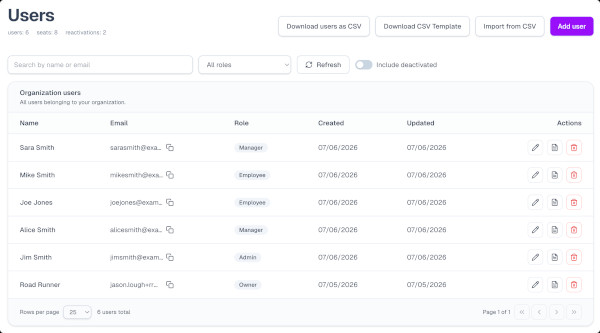
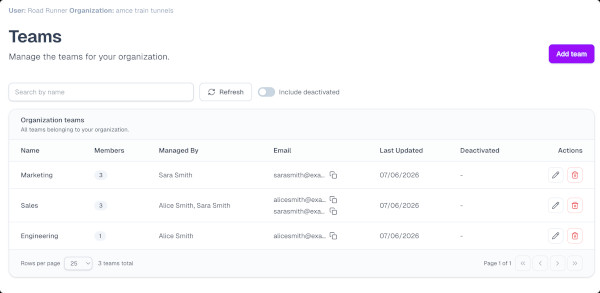
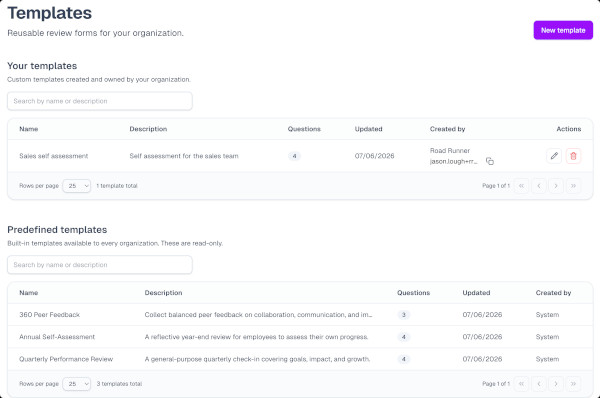
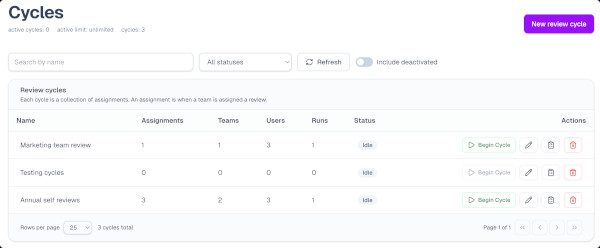
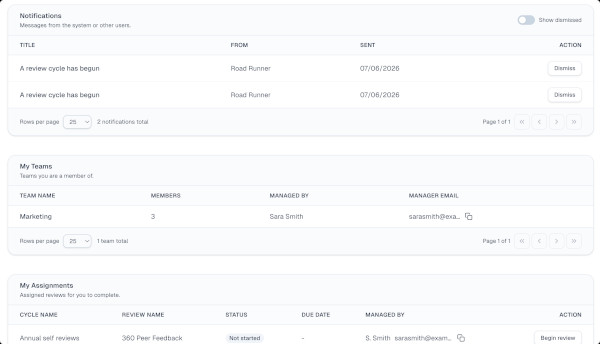
1. Add your people
Import or invite employees so everyone is ready when a cycle starts.
This is a review cycle from setup to sign-off. 1 on 1s and 360s are available when you want them.
You already know how this season goes
The form lives in a Doc. You follow up. Managers stall. Next year you cannot find last year’s ratings. You do not need enterprise HR software for that. You need a cycle that closes.
Tired of...
- Reviews living in Google Docs and email?
- No idea who hasn't submitted?
- Rebuilding the form every season?
- Last year's reviews lost in a shared drive?
- Managers who never sign off?
- Doing this again in six months from a blank page?
Before
After
- Google Docs and spreadsheetsOne place every review lives
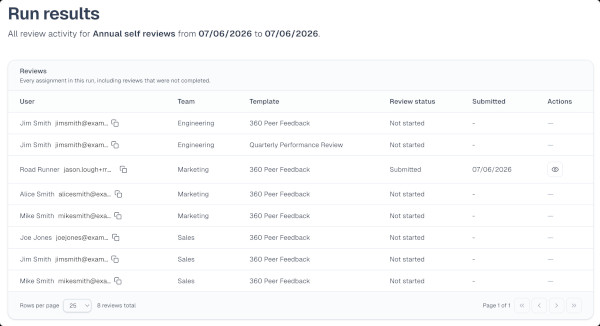
- Asking around who is doneSee completion by person and team
- A new form every seasonReuse last cycle’s template
- Last year in a folder nobody ownsSearchable history of finished reviews
- Reviews that stall with the managerSign-off and acknowledgment built in
- Reminders only if you send themOptional Slack ping when it is their turn
How it works
Start with the review cycle. 1 on 1s and 360s are there when you want them, not as the thing you have to adopt first.
From the form to sign-off, the season lives in one place, not a folder of Docs.
- 1
Design & launch
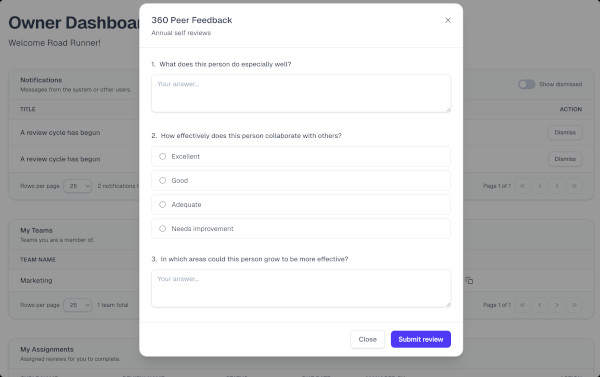
Create a template, assign it to your people, and start the season. They see the next step on their dashboard, and in Slack if you have connected it.
- 2
Employees submit
Team members complete structured reviews (text, multiple choice, or star ratings) from their dashboard.
- 3
Managers sign off
Managers review submissions, leave optional feedback and ratings, and sign off. Employees are notified to acknowledge.
- 4
Report & follow up
See who is done, look up a finished review, and compare this season to the last one.
Notes and action items stay with the meeting, so the next 1 on 1 starts from what you already promised.
- 1
Create the 1 on 1
A manager starts a 1 on 1 with one person or a whole team they manage.
- 2
Meet and take notes
Both people begin when they’re ready and keep private notes during the meeting.
- 3
Capture action items
Managers add action items. When both complete, the meeting is saved.
- 4
Pick up next time
The next 1 on 1 shows prior notes and action items. Finished meetings land in Records.
Peer, manager, and direct-report feedback with structured forms, not a second spreadsheet.
- 1
Configure the 360
Pick subjects by person or team. Require a self-review, then optionally add manager, coworker, and direct-report forms.
- 2
Set reviewers
Choose how many reviewers per role and whether that feedback stays anonymous.
- 3
Begin the run
Reviewers are assigned at random from managers, teammates, and the people the subject manages. Everyone is notified.
- 4
Collect & keep
People complete from My Tasks. When the run ends, finished 360s live in Records.
Template library
Start from a real review, not a blank Doc
Use a prebuilt form or make your own. Submitted answers stay tied to the form as of submission, so history stays intact when you change the template later.
- Quarterly Performance Review
- Annual Review
- Mid-Year Check-In
- Probationary Period Review
- Stay Interview
- 360 Peer Feedback
- Sales Performance Review
- Upward Feedback
Progress
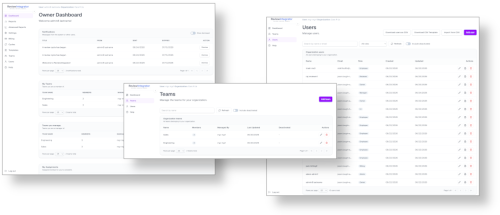
See who is done, and keep last season
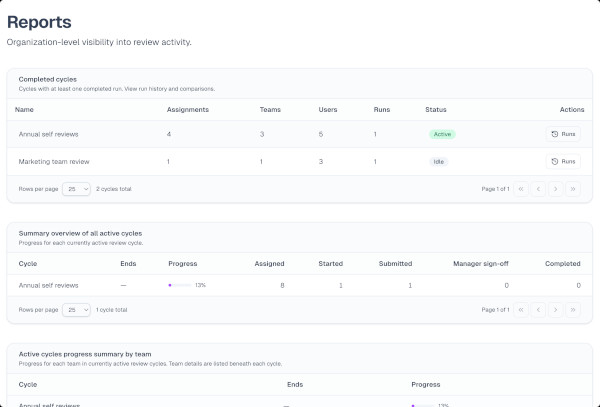
Track the cycle as it runs. Look up a finished review later. Compare this season to the last one if you want to. You should not need a spreadsheet export to answer whether you finished.
- Completion by person and team
- Searchable history of finished reviews
- Rating trends when you want them
Built for the season, not a platform rollout
Structure for the person who already owns reviews, without enterprise complexity.
Design the form once
Build a custom form or start from a template, then reuse it next season instead of copying last year’s Doc.
Close the loop with sign-off
People submit. Managers add optional feedback and ratings, then sign off. Employees acknowledge so the review is actually done.
Find last season when you need it
See who is done, open a finished review, and compare this cycle to the last one without digging through a shared drive.
Each person sees their next step
You do not need a people team to launch a cycle. Everyone sees the action that matches their job.
Ready to replace the spreadsheet?
Start a free trial and run the next cycle in one place: template, submissions, manager sign-off, and a record you can find later.