
Performance reviews for companies too big for Google Forms and too small for enterprise HR software.
Launch a cycle, get managers to sign off, and keep every review searchable, without rebuilding the process each quarter.
From $14/user/mo · 10% off with annual billing · 30-day free trial
- HR professionals: Run the season without becoming a reminder bot
- Engineering managers: Sign off on reviews without spreadsheet chaos
- Startup founders: Add structure before you outgrow ad-hoc feedback
1. Add your people
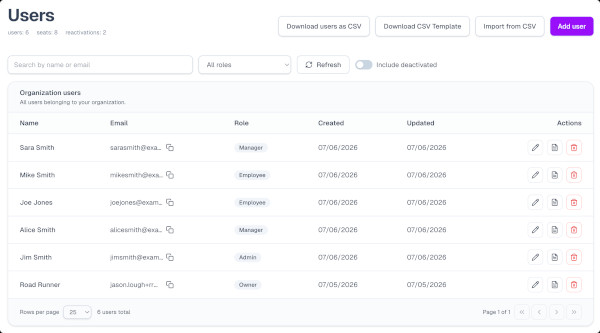
Import or invite employees so everyone is ready when a cycle starts.
How to move employee reviews off spreadsheets
Performance reviews shouldn’t be a three-week chase
Managers don’t do them. Employees hate them. Nobody knows what happened last cycle. HR spends weeks chasing people. We built ReviewIntegrator so growing companies can run structured reviews and keep managers accountable, without expensive enterprise HR software.
Tired of...
- Chasing managers to complete reviews?
- Wondering who hasn't submitted feedback?
- Using Word documents and spreadsheets?
- Reinventing review forms every cycle?
- Losing historical review data?
- Running inconsistent reviews across departments?
- Spending weeks preparing each review cycle?
Before
After
- Word documents and spreadsheetsOne place every review lives
- Scouring Excel for insightsSee completion by team in minutes
- Email reminder chainsManagers see next actions without chasing
- Different forms every departmentLaunch next quarter without redesigning forms
- Missing review historyFind last cycle’s ratings in seconds
- Reviews stuck in inboxesBuilt-in manager sign-off and acknowledgment
How a review cycle works
From setup to sign-off, every step lives in one product, not a patchwork of forms and files.
- 1
Design & launch
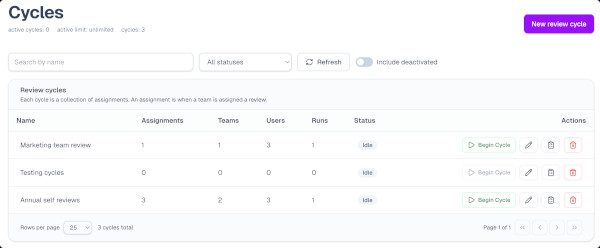
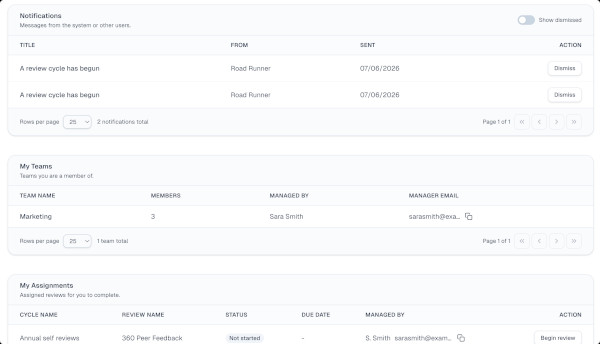
Create templates and cycles, assign by team, then start the season. Employees see the next step on their dashboard.
- 2
Employees submit
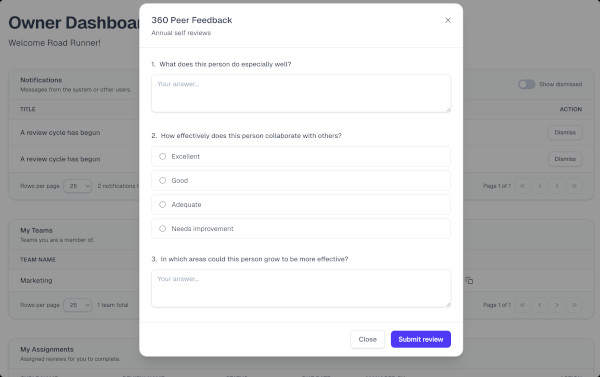
Team members complete structured reviews (text, multiple choice, or star ratings) from their dashboard.
- 3
Managers sign off
Managers review submissions, leave optional feedback and ratings, and sign off. Employees are notified to acknowledge.
- 4
Report & follow up
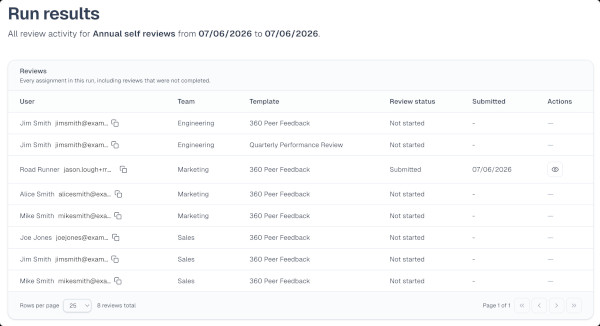
See completion by team, browse run history, and compare cycles so this season informs the next one.
Template library
Start from real review types
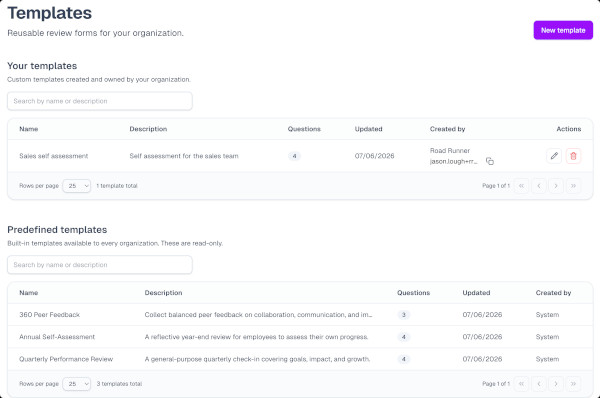
Use prebuilt templates shaped around how HR already runs seasons, or customize your own. Submitted answers stay tied to the form as of submission, so history stays intact when you improve a template later.
- Quarterly Performance Review
- 360 Peer Feedback
- Goals & OKR Review
- Probationary Period Review
- Stay Interview
- Sales Performance Review
- Upward Feedback
- Mid-Year Check-In
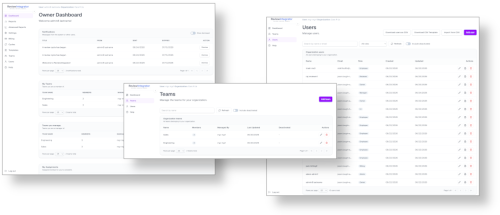
Visibility & reporting
Know where every review stands
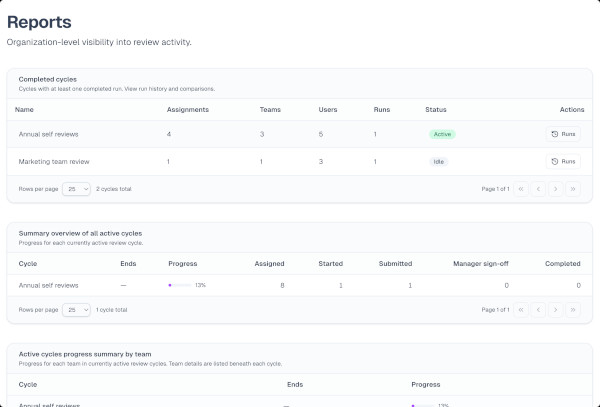
Track cycle and team progress, look up completed reviews, browse run history, and compare cycles. Advanced reporting adds rating trends, distribution, and team comparisons when you want performance intelligence across seasons.
- Completion by team without spreadsheet digging
- Searchable history across past cycles
- Rating trends and team comparisons
Why teams choose ReviewIntegrator
Practical structure for HR and managers, without enterprise complexity.
Design reviews once, reuse every cycle
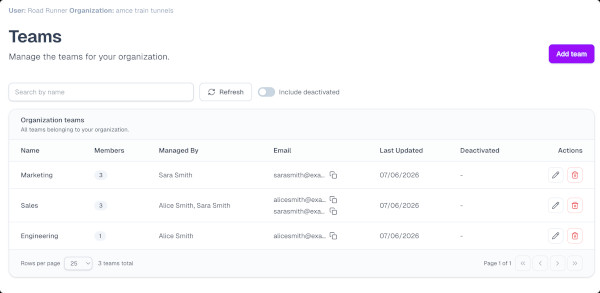
Build custom forms or start from the template library, then assign by team so every department runs a consistent process.
Hold managers accountable
Employees submit, managers sign off with optional feedback and ratings, and employees acknowledge, so reviews don’t die in someone’s inbox.
See progress and history org-wide
Track who’s done, compare cycles, and find last season’s ratings without digging through folders or spreadsheets.
The right view for every role
Owners, admins, HR, managers, and employees each see the actions and data that match their job, not one generic admin screen.
Ready to replace the spreadsheet?
Start a free trial and run your next review cycle in one place, from templates to manager sign-off, with reporting built in.